
 QED
QEDWorld panel
The wiki beside your manuscript: characters, locations, items, lore, grouped by kind.
World panel
Your series bible, kept next to the prose instead of in a separate document nobody updates.
This page covers the panel. For what belongs on each kind of page, see World.
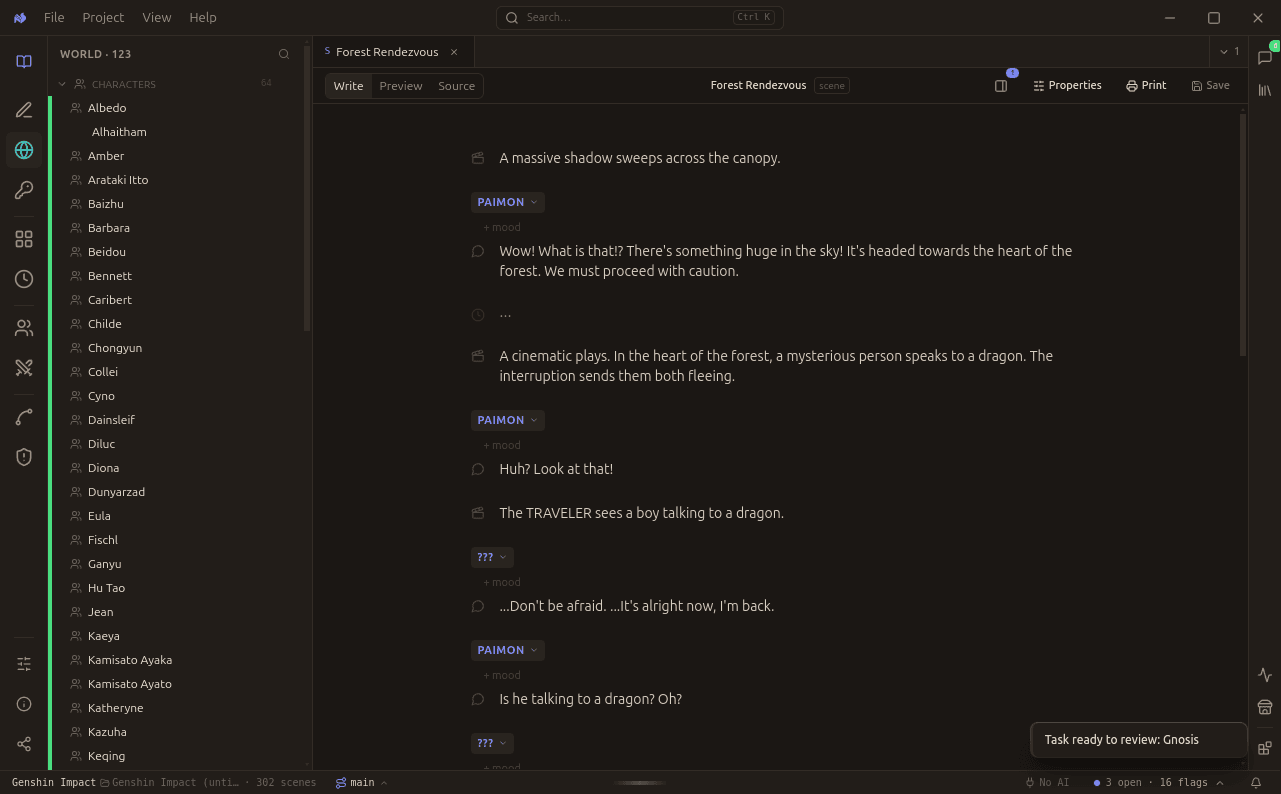
A world with 123 pages, 64 of them characters. The navigator groups by kind and stays searchable.
The navigator
The left sidebar lists every world page, grouped by kind and counted. A large project runs to hundreds of pages, so the count in each group header is the fastest way to see where your world is thin.
| Kind | What it holds |
|---|---|
| Characters | Voice, wants, secrets |
| Locations | Places that gather meaning |
| Items | Objects the plot turns on |
| Lore | The rules of the world, and when they were revealed |
| Information | Facts that travel between characters |
Pages edit like scenes
A world page opens in the same editor as a scene, with the same Write, Preview, and Source tabs. There is no second editor to learn.
Declared, not observed
This is the distinction that makes the rest of the app work.
What you write here is declared: this is who she is. What the engine reads from your scenes is observed: this is who she acted like. The two are kept apart deliberately, which is the only reason coherence can tell you they have diverged.
Blank is a real answer. A character page wants very little, and leaving a field empty means undecided rather than wrong.